• Discover
  • Marketplace
  • Create
  • Robux
  • Discover
  • Marketplace
  • Create
  • Robux
  • in Experiences
  • in People
  • in Avatar Shop
  • in Groups
  • in Creator Marketplace
  • Sign Up


Login to Roblox

Forgot Password or Username?
Don't have an account? Sign Up
  • About Us
  • Jobs
  • Blog
  • Parents
  • Gift Cards
  • Help
  • Terms
  • Accessibility
  • Privacy

Β©2025 Roblox Corporation. Roblox, the Roblox logo and Powering Imagination are among our registered and unregistered trademarks in the U.S. and other countries.

Progress
Starting Roblox...
Connecting to People...

Check Always open links for URL: Roblox Protocol and click Open URL: Roblox Protocol in the dialog box above to join experiences faster in the future!

Thanks for visiting Roblox

  • 1

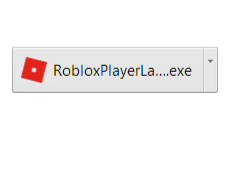
    Click RobloxPlayer.exe to run the Roblox installer, which just downloaded via your web browser.
  • 2

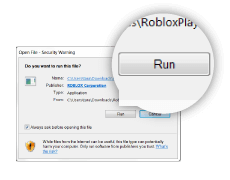
    Click Run when prompted by your computer to begin the installation process.
  • 3

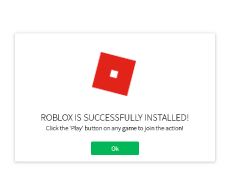
    Click Ok once you've successfully installed Roblox.
  • 4

    After installation, click Join below to join the action!

    Join
The Roblox installer should download shortly. If it doesn’t, start the download now.
generic image
generic image
Processing...

2-Step Verification

Enter the code we just sent you via email.


Need help? Contact Roblox Support

IMPORTANT: Don't share your security codes with anyone. Roblox will never ask you for your codes. This can include things like texting your code, screensharing, etc.

2-Step Verification

Enter the code generated by your authenticator app.


Need help? Contact Roblox Support

IMPORTANT: Don't share your security codes with anyone. Roblox will never ask you for your codes. This can include things like texting your code, screensharing, etc.

2-Step Verification

Enter the code we just sent you via email.


Need help? Contact Roblox Support

IMPORTANT: Don't share your security codes with anyone. Roblox will never ask you for your codes. This can include things like texting your code, screensharing, etc.

2-Step Verification

Enter the code generated by your authenticator app.


Need help? Contact Roblox Support

IMPORTANT: Don't share your security codes with anyone. Roblox will never ask you for your codes. This can include things like texting your code, screensharing, etc.

2-Step Verification

Enter the code we just sent you via email.


Need help? Contact Roblox Support

IMPORTANT: Don't share your security codes with anyone. Roblox will never ask you for your codes. This can include things like texting your code, screensharing, etc.

New Login Attempt

To approve or reject this attempt, open the Roblox app from a logged-in mobile or tablet device.

Need help? Visit our Help Center

2-Step Verification

Enter a previously saved backup code.


Need help? Contact Roblox Support

IMPORTANT: Don't share your security codes with anyone. Roblox will never ask you for your codes. This can include things like texting your code, screensharing, etc.

2-Step Verification

Enter a previously saved backup code.


Need help? Contact Roblox Support

IMPORTANT: Don't share your security codes with anyone. Roblox will never ask you for your codes. This can include things like texting your code, screensharing, etc.

2-Step Verification

Choose alternate verification method.

Email
Backup Code

2-Step Verification

Choose alternate verification method.

Authenticator
Backup Code

2-Step Verification

Choose alternate verification method.

Authenticator
Backup Code

2-Step Verification

Choose alternate verification method.

Authenticator
Backup Code
Security Key

2-Step Verification

Use your Security Key to log in.

When prompted, touch your key or use biometrics on this device.

Need help? Contact Roblox Support

Please Confirm Your Identity

Which of these experiences have you joined in the last 7 days?

Pick 3.

To keep your account secure, please verify your identity.

Account PIN Required

Enter the PIN attached to your account


Quick Log In Code

Option 1
Scan this QR code from your logged in device's camera.
Having trouble?
Option 2
VRDTQR
On your logged in device, go to:
Account Settings > Quick Log In to enter your code.